
Home > Help Center

Reachific™ Support

Reachific Help Center

Step by step answers for every part of your Reachific account, with screenshots that show you exactly where to click.

No article on this page matches that yet. Try another word, or submit a ticket.

Newest articles

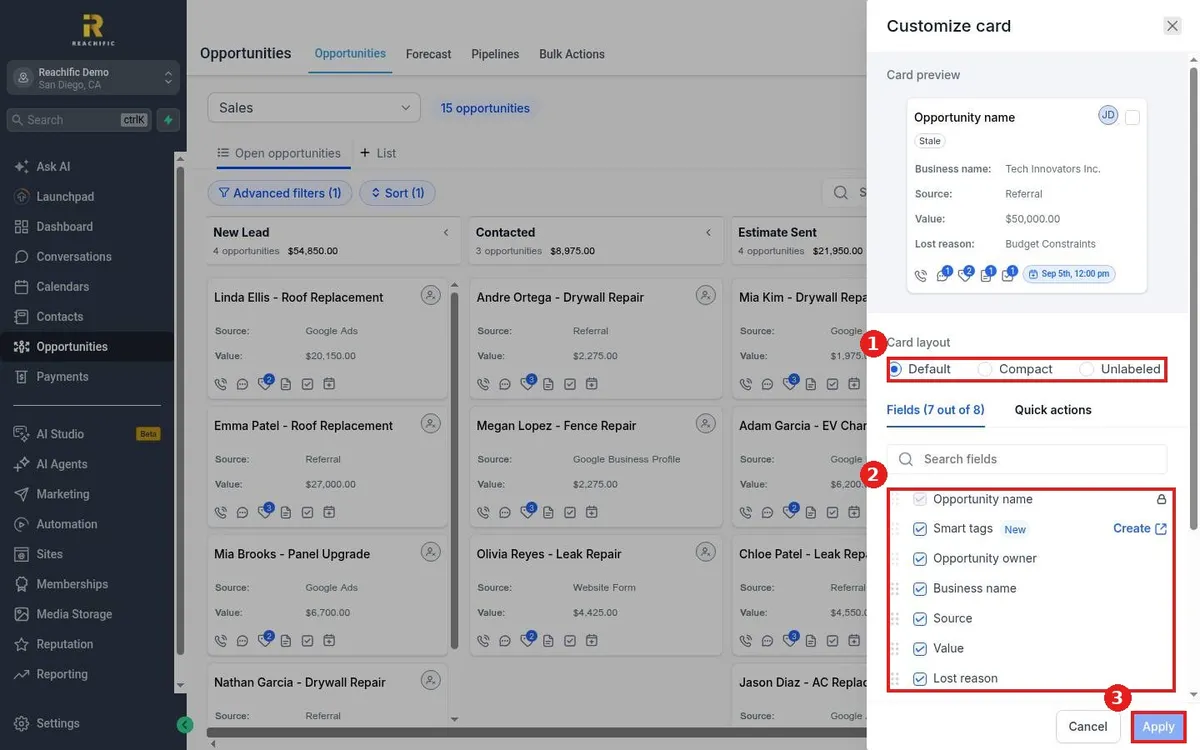
How do I choose which fields show on opportunity cards?

How do I choose which fields show on opportunity cards?

Sayo Tadashi
Published on: 03/11/2026

Choose opportunity card fields in Reachific: open Opportunities, click Manage fields, pick a card layout, check or uncheck fields, drag them into order and click Apply.

manage fieldscard fieldscustomize cardhelp center

We are here to help

Still stuck?

Send our support team a ticket and we will walk you through it, or pick a support plan for hands on help.